See what your AI agent would do before it does it. Shadow mode. Approval workflows. Rollback.
Welcome screen & dashboard UI:
open the hosted dashboard
(same “Welcome to Agentiva” flow as local). For live API data, run agentiva serve and the dashboard locally, or point the hosted app at your API — see
local setup.
Choose your setup. Protect your agents in under a few minutes—same look as the rest of this site.
For developers using AI to write code. Agentiva scans your project and catches dangerous patterns before deployment.
For teams running AI agents in production. Agentiva monitors every action in real time and blocks dangerous ones.
Install the Agentiva CLI from PyPI.
pip install agentiva
From your project directory, install the git pre-push hook.
# In your project directory
cd your-project
agentiva init
Commit and push as usual. Agentiva scans on every push.
git add . git commit -m "new feature" git push # Agentiva scans automatically # Blocked if issues found # Clean code pushes through
Use the scan output to fix issues, then push again.
# Example output [BLOCK] config.py — Hardcoded credentials: api_key (Risk: 0.92) [BLOCK] app.py — SQL injection via f-string (Risk: 0.90) [WARN] deploy.sh — Dangerous command: git push --force (Risk: 0.65) # Fix the issues. Push again. It goes through.
Open the full HTML report in your browser.
agentiva dashboard
# Opens full report in browser
After agentiva init, every git push is protected automatically.
No extra commands. No workflow changes.
What Agentiva checks on every scan: Hardcoded credentials · SQL injection · Prompt injection · LLM output execution · Compromised packages · PII exposure · Base64 obfuscation · Weak hashing · Command injection · XSS · JWT bypass · Path traversal · Typosquatted domains · Privilege escalation · SSH key injection · Remote exfiltration — across every file type.
Add Agentiva to your Python environment.
pip install agentiva
Run the Agentiva API. The dashboard opens automatically.
agentiva serve
Add a few lines so every tool call is scored and logged. Use mode="shadow" to observe first.
# Your LangChain-style agent from agentiva import Agentiva shield = Agentiva(mode="shadow") tools = shield.protect([your_tool_1, your_tool_2]) # Pass tools into your agent / executor as usual
# CrewAI — wrap tools before building agents from agentiva import Agentiva shield = Agentiva(mode="shadow") tools = shield.protect([search_tool, email_tool]) # tools = Crew / Agent(tools=tools, ...)
# OpenAI Agents / function tools from agentiva import Agentiva shield = Agentiva(mode="shadow") tools = shield.protect([send_email, query_db]) # Register tool defs with the wrapped callables your SDK expects
# MCP proxy — point your client at Agentiva agentiva mcp-proxy --upstream your-upstream-server # Use the Agentiva proxy URL printed when the proxy starts
# Anthropic tool list from agentiva import Agentiva shield = Agentiva(mode="shadow") tools = shield.protect([email_tool, db_tool]) # Pass tools into messages.create(...)
# Direct HTTP check before executing an action import requests BASE = "http://your-agentiva-host" # same host as `agentiva serve` r = requests.post(BASE + "/api/v1/intercept", json={ "tool_name": "send_email", "arguments": {"to": "user@email.com"}, "agent_id": "my-custom-agent", }, ) result = r.json() if result.get("decision") == "block": raise RuntimeError("Blocked by Agentiva") # else: execute
Watch allow / block / shadow decisions in the live feed. The dashboard opens automatically.
# Example feed ALLOW read_customer_data support-bot risk=0.10 BLOCK send_email support-bot risk=0.97 BLOCK update_database pipeline risk=0.95 SHADOW call_external_api sales-agent risk=0.55
Start in shadow mode to observe. Switch to live mode to block. Switch to approval mode for human-in-the-loop.
What Agentiva checks on every scan: Hardcoded credentials · SQL injection · Prompt injection · LLM output execution · Compromised packages · PII exposure · Base64 obfuscation · Weak hashing · Command injection · XSS · JWT bypass · Path traversal · Typosquatted domains · Privilege escalation · SSH key injection · Remote exfiltration — across every file type.
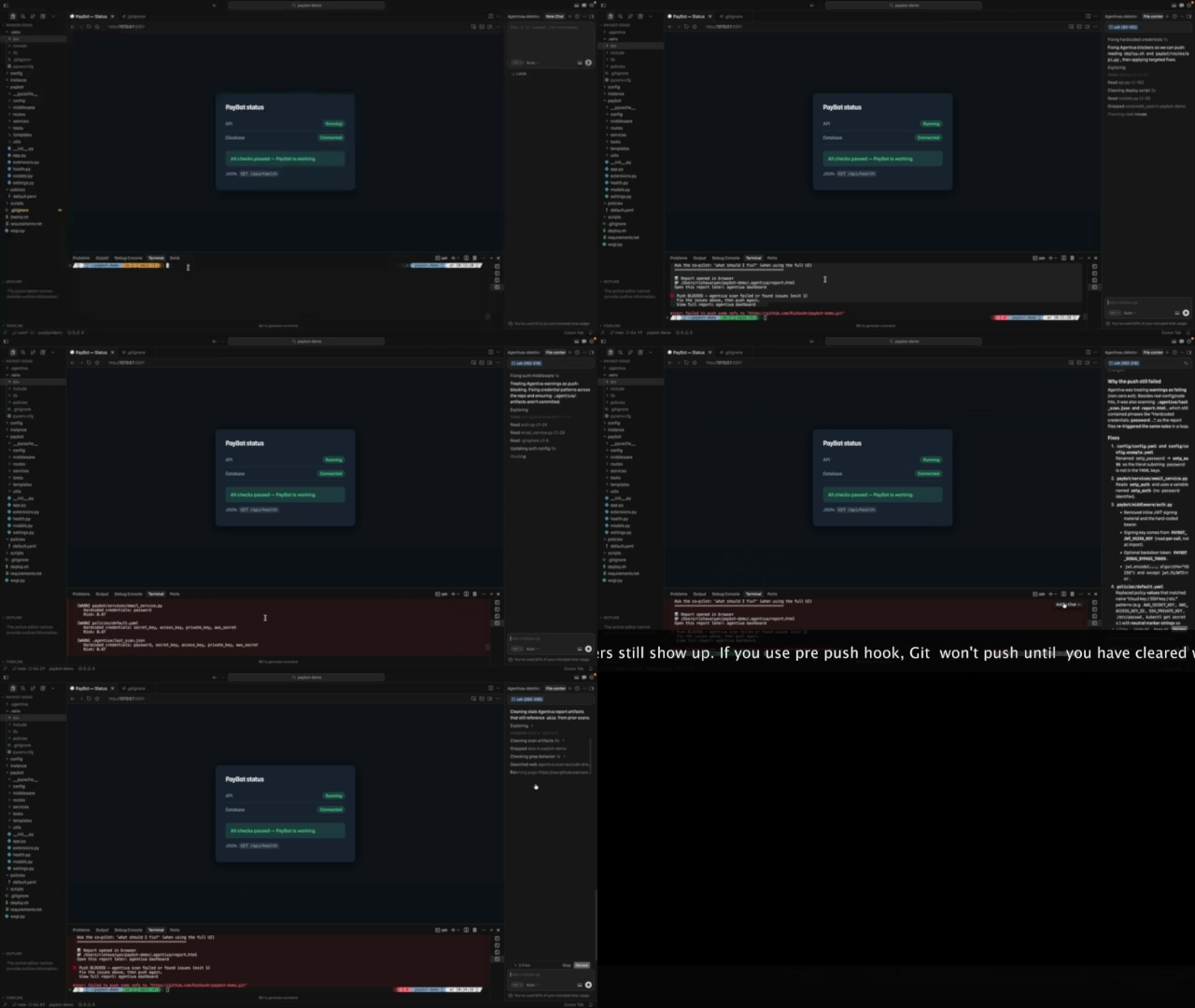
Screen capture: PayBot, terminal, and dashboard. For the full walkthrough, use the Google Drive link below (share as Anyone with the link for embeds to work when shared).
Watch full demo on Google Drive →
Run locally:
python demo/paybot_demo.py
Five operating modes—deterministic scoring, YAML policies, and audit exports.
Observe without executing. See every tool call before it hits production.
Preview impact before acting—side effects and rollback plans.
Human-in-the-loop for risky actions via API or dashboard.
Agents learn to self-correct with structured feedback.
Undo what the agent did with captured state and plans.
Install, protect, monitor—three steps.
Use the Agentiva dashboard: live feed, audit log, agents, policies, and co-pilot chat.
Open Agentiva dashboardEvery agent action logged. Export for your auditor. We don't generate compliance — we generate the data your assessor needs to evaluate.
Every agent action logged with timestamp, decision, risk score, and full context. Export as JSON or CSV for your compliance team.
Structured data your auditor can review. We log the data. Your assessor makes the compliance determination.
Flags PII, credentials, and cardholder patterns in agent actions. Logged for review.
Tested against recognized third-party frameworks. Clone the repo and reproduce these results yourself.
Full test suite covering attack vectors, compliance scenarios, fuzzing, and stress tests. Run:
pytest tests/ -m "slow or not slow"
All 10 OWASP categories tested. Prompt injection, supply chain, excessive agency, sensitive disclosure — every category covered.
Third-party OWASP assessment. 38/47 passed. Remaining are rubric mismatches, not security failures.
2,500 vulnerability probes via NVIDIA Garak. 9 red team scenarios via Microsoft PyRIT. All intercepted.
Public incidents we model — Agentiva is designed to block this class of failure.
Poisoned PyPI package exfiltrated SSH keys and AWS credentials. 97M downloads/month affected. Agentiva blocks the exfiltration.
AI agent deleted production environment. 13-hour outage. Agentiva blocks infrastructure destruction commands.
Hidden email prompt caused data exfiltration via SharePoint. Agentiva blocks external data transmission.
Agent deleted 1,206 customer records. No approval, no undo. Agentiva blocks mass deletion operations.
Explore integrations — wrap tools on any common stack:
Open core, same playbook as Docker and GitLab: a real free tier that costs you nothing self-hosted. Pay when you want cloud scale, alerts, and audit log exports.
/forever · self-hosted
agentiva scan)MOST POPULAR
Cloud — waitlist
Cloud — waitlist
Unlimited scale · SLA
Free tier is self-hosted forever. Cloud (Pro, Team) is on the waitlist—same product, managed for you.
What you can use today, what we're shipping next, and where we're headed.
pip install agentivaagentiva scan .)Straight answers on scanning, hooks, privacy, and how Agentiva fits next to your other tools.
Every file in your project — Python, JavaScript, TypeScript, Go, Java, Ruby, PHP, YAML, JSON, .env, Markdown, shell scripts, config files, and more. If a credential or vulnerability is in any file, Agentiva finds it.
Yes. Run agentiva init once. After that, every git push is scanned automatically. If issues are found, the push is blocked. Fix the issues, push again, it goes through.
Only critical issues block. Hardcoded credentials, compromised packages, SQL injection, privilege escalation — these block git push. Warnings are logged but don't block.
No. Scans run in seconds — pure pattern matching, no LLM calls, no cloud round-trips. A 500-file project scans in under 3 seconds.
No. Agentiva is your first line of defense. For production systems, still do penetration testing. Agentiva reduces your attack surface before those reviews.
No. It scans all code regardless of who wrote it. Dangerous patterns are dangerous whether Cursor, Claude Code, or a human wrote them.
Yes. YAML policy files. Enable, disable, or adjust any rule. Set risk thresholds, whitelist trusted domains, configure per-agent policies.
VibeLint and Snyk scan code for known patterns. Agentiva does that AND monitors AI agent actions at runtime — emails sent, databases queried, APIs called. We catch edge cases like base64-encoded PII in analytics payloads, typosquatted cloud domains, and silent privilege escalation. Code scanning is one layer. Runtime security is the layer nobody else covers.
Agentiva runs entirely on your machine. No code sent to external servers. No cloud account required. Scan results stored locally in .agentiva/ which is auto-added to .gitignore.
Three ways: (1) Terminal shows issues immediately on push. (2) agentiva dashboard opens an HTML report in your browser. (3) agentiva serve starts a live dashboard with audit log and security co-pilot chat.
Agentiva runs as an MCP proxy. Point your MCP client to Agentiva instead of the upstream server. Every tool call is intercepted, scored, and logged. Dangerous actions blocked.
pip install agentiva, then agentiva init in your project. Every git push is now protected. For real-time monitoring, run agentiva serve for the dashboard.
Install locally in minutes. No black boxes—every action intercepted and explainable.
Get started freeSelf-hosted Free is available now. Join the waitlist for Pro ($49/mo) and Team ($149/mo)—cloud dashboard, alerts, SSO, and audit log exports.